WhatsApp Native In-Chat Shopping Catalogs: Transforming the Shopping Experience

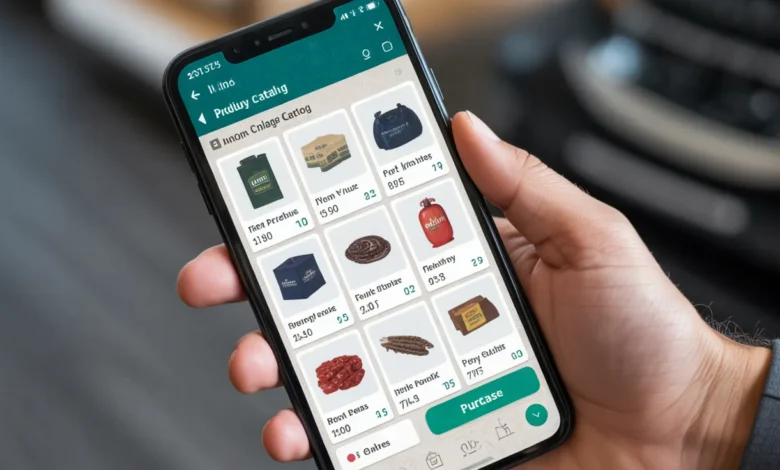
WhatsApp has revolutionized the e-commerce experience by introducing native in-chat shopping catalogs, allowing businesses to display products directly within the chat interface. This feature streamlines the customer journey, from product discovery to payment, eliminating the need for customers to leave the app. Here’s how businesses can capitalize on this shift to drive conversions.
1. Key Features of WhatsApp Native Shopping Catalogs
- Native Shopping Cart
Customers can browse and add items to a cart directly within WhatsApp, making the shopping experience faster and more efficient without redirecting to external websites. - In-Chat Payments
Supported in regions like Singapore and India, customers can make purchases directly through WhatsApp by using payment methods like UPI, credit cards, and debit cards via partners like Razorpay and PayU. - Rich Product Displays
Businesses can showcase up to 500 items with images, descriptions, prices, and variants. Customers can browse the catalog in-app without being directed to a separate site. - Product Collections
Businesses can create collections (e.g., “Summer Collection”) to make browsing easier for customers and encourage targeted sales. - Automation Features
Through WhatsApp Business API, companies can automate catalog updates and push notifications to keep customers informed on product availability.
2. Benefits of Using WhatsApp Native Catalogs for Your Business
- Increased Conversions
By eliminating the need for customers to switch to external platforms, businesses see an increase in conversions, with some reporting a 20% rise in sales. - Reduced Cart Abandonment
WhatsApp’s streamlined checkout process helps reduce cart abandonment, offering a smoother transaction journey directly within the app. - Better Customer Experience
Customers can ask questions, get product recommendations, and track order status in real time without leaving the app, leading to a better overall experience. - Real-Time Updates
Businesses can make immediate product or stock updates within WhatsApp, allowing customers to view the latest availability in real time.
How to Set Up WhatsApp Native Shopping Catalogs
- Step 1: Activate WhatsApp Business API
Businesses must be on the WhatsApp Business API to access this feature. Once the API is activated, companies can begin uploading catalogs and setting up payment options. - Step 2: Create and Manage Your Catalog
Upload your products, including images, prices, and descriptions, directly to your WhatsApp Business profile. You can also create product collections to enhance customer browsing. - Step 3: Integrate with Payment Systems
For supported regions, link payment methods like UPI or credit cards to enable in-chat purchases. - Step 4: Share Catalogs and Begin Selling
Share your product catalog with customers in chats, use it in broadcast messages, or embed it into external websites to boost visibility.
Strategic Tips for Leveraging WhatsApp Native Shopping
- Use Product Collections for Easy Browsing
Group your products into collections, such as seasonal items or best-sellers, to help customers browse faster and more efficiently. - Offer Promotions and Discounts
Include special promotions or discounts in your product catalog to drive impulse purchases directly in the chat. - Keep It Native
Encourage customers to browse your catalog within WhatsApp without redirecting them to external sites. This reduces friction and keeps users engaged longer. - Share Product Links in Broadcast Messages
Send targeted offers or catalog links to your audience via WhatsApp broadcasts, ensuring high engagement and visibility.
- Future of WhatsApp Shopping
- Global Expansion of In-Chat Payments
WhatsApp continues to expand its payment integrations globally, allowing businesses in more regions to enable in-chat payments for a seamless customer experience. - AI-Powered Features
Expect more automation in catalog updates, personalized recommendations, and predictive features to further enhance the shopping experience on WhatsApp. - Increased Adoption by Brands
As more businesses embrace WhatsApp’s native shopping catalogs, it’s expected that this feature will become a key driver of sales, especially in emerging markets.
FAQs:
What is WhatsApp Native Shopping Catalog?
WhatsApp Native Shopping Catalog allows businesses to showcase their products directly within WhatsApp chats. Customers can browse items, add them to their cart, and complete purchases all within the app, without needing to navigate to an external website.
How do businesses set up WhatsApp Native Shopping Catalog?
To set up WhatsApp Native Shopping Catalog, businesses must have the WhatsApp Business API activated. After activation, products can be uploaded, payment methods integrated, and catalogs shared within chats. Businesses can manage their inventory, prices, and descriptions through the WhatsApp Business API.
Can customers make payments directly within WhatsApp?
Yes, WhatsApp supports in-chat payments in specific regions, such as India and Singapore. Customers can pay using methods like UPI, credit cards, or debit cards without leaving the app, making the entire shopping process seamless.
How does WhatsApp Native Shopping help businesses reduce cart abandonment?
By enabling a smoother checkout process and keeping customers within the app, WhatsApp’s native shopping features reduce the need for external redirections, making the process faster and more efficient, which in turn helps reduce cart abandonment.
Can businesses use WhatsApp Native Shopping Catalogs for targeted marketing?
Yes, businesses can utilize WhatsApp’s automation and product catalog features to create targeted promotions and product collections, enhancing the shopping experience and increasing conversions.
Final Takeaway:
WhatsApp’s native shopping catalogs offer a powerful way for businesses to streamline the shopping experience, reduce friction, and increase conversions. If you’re ready to elevate your digital sales strategy through WhatsApp, Digilogy can help you set up and optimize these in-chat features for maximum impact.