Google Ads AI Voice-Overs Now in PMax Videos

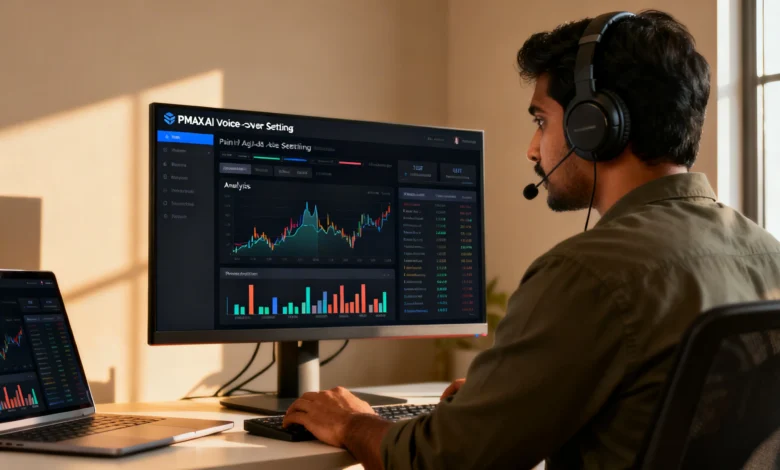
Recently, Google Ads AI voice-overs in PMax videos have started drawing attention as advertisers discover a new automated video enhancement inside Performance Max. The feature can turn silent video assets into narrated ads using AI-generated speech built from existing ad copy.
For advertisers using Performance Max, this update matters because it changes how video assets may be created, tested, and served inside Google Ads.
What the New AI Voice-Over Feature Does
The feature is designed for video assets in Performance Max campaigns that do not already include spoken narration.
Google’s AI selects text from existing headlines and descriptions, converts that text into speech using AI voice models, and layers the audio over the original video.
The system then saves the output as a new video asset, while leaving the original video unchanged.
How Google Ads AI Voice-Overs in PMax Videos Work
The workflow is relatively simple, but the impact could be significant for advertisers managing multiple assets.
Targeted Video Assets
The feature applies to videos that do not already contain a voice track or spoken narration.
This makes it especially relevant for advertisers using motion graphics, silent product videos, slideshow creatives, or lightweight branded videos.
Source Material for the Voice Script
Google’s AI pulls from the advertiser’s own headlines and descriptions already available in the asset group.
That means the final narration is based on existing campaign copy rather than a separately uploaded script.
AI Audio Generation
The selected text is turned into a spoken voice track using Google AI voice models.
That narration is then added to the base video to create a voice-enhanced version for ad delivery.
Original Asset Remains Available
Importantly, the original silent video is not overwritten.
Instead, the AI-narrated version is saved as a separate asset that may run alongside the original.
Why This Update Matters for Advertisers
This may look like a small asset update, but it reflects a larger shift in ad platform automation.
Creative production is increasingly becoming part of the media platform itself. Instead of relying only on uploaded assets, advertisers now face systems that can modify and extend creative automatically.
For some brands, this could mean:
- faster asset creation
- lower production effort
- broader creative testing
- improved video engagement without new shoots
For others, it raises concerns around brand voice, compliance, approval control, and creative consistency.
Key Details Advertisers Should Watch
There are several important details in this rollout that advertisers should not ignore.
It Is an Opt-Out Feature
According to the provided inputs, this update is not opt-in. Eligible advertisers may be included unless they disable the related setting.
That makes it operationally important for teams that need strict control over ad creative.
It Is Tied to Video Enhancement Settings
The feature appears to sit under the broader video enhancement or asset optimization controls within Performance Max campaign settings.
Advertisers reviewing Performance Max should check those campaign-level controls carefully.
English-Only Availability
Based on the provided notes, the AI-generated voice-over is currently available only for English-language accounts and assets.
This limits the rollout for multilingual campaigns, but still makes it highly relevant for many English-first advertisers.
Reporting and Asset Monitoring
The AI-generated version is reported as a distinct asset, allowing advertisers to monitor performance and remove it if needed.
This gives advertisers some visibility, even if the feature itself introduces more automation into the creative process.
How to Review or Disable the Feature
Advertisers who want tighter creative control should review their settings inside Google Ads.
A typical process, based on the inputs provided, includes:
- Log in to Google Ads
- Open Campaigns
- Select the relevant Performance Max campaign
- Go to Campaign Settings
- Find the Video Enhancement Control or related asset optimization setting
- Disable the toggle if you do not want automatic AI-generated voice-overs
Because interface labels can evolve, teams should verify the exact wording inside their current Google Ads account.
Should Advertisers Use It or Turn It Off
There is no one-size-fits-all answer. The right decision depends on the brand, creative strategy, and campaign structure.
Consider Keeping It Active If
The feature may help if you:
- use silent video assets regularly
- need faster creative variation
- have limited production resources
- want additional asset testing inside Performance Max
For performance-led campaigns, AI narration may create more usable video inventory without extra editing work.
Consider Turning It Off If
You may want to disable it if you:
- need strict control over brand tone
- use premium or luxury positioning
- require legal or compliance approvals
- already have approved human voice-over assets
Brands with strong audio identity standards may prefer manual control over every spoken element.
Bigger Industry Signal Behind the Update
The bigger takeaway is not just the voice-over itself.
It signals that Google Ads AI voice-overs in PMax videos are part of a broader movement where ad platforms are handling more of the production process automatically.
That shifts the advertiser’s advantage away from basic asset assembly and toward:
- stronger audience signals
- better conversion tracking
- clearer campaign structure
- higher-quality inputs
- stronger creative governance
FAQS
AI can generate new versions of ads, but results still depend on the quality of the system behind them.What are Google Ads AI voice-overs in PMax videos?
Google Ads AI voice-overs in PMax videos are automatically generated narrations added to eligible silent Performance Max video assets using text from headlines and descriptions.
How does the PMax AI voice-over feature work?
Google identifies silent video assets, selects text from ad copy, converts that text into speech, and creates a new voice-enhanced video asset.
Does Google replace the original video asset?
No. The original video remains unchanged, and the AI-narrated version is saved as a separate video asset.
Is the Google Ads AI voice-over feature opt-in or opt-out?
Based on the provided inputs, the feature is opt-out, which means eligible advertisers may need to disable it manually if they do not want it applied.
Should brands keep AI voice-overs enabled in Performance Max?
Brands focused on speed and automation may keep it enabled, while brands requiring tight creative control may prefer to disable it.
Final Takeaway
Google Ads AI voice-overs in PMax videos show how automation is moving deeper into campaign execution, not just bidding and targeting. For advertisers, the opportunity is speed and scale, but the trade-off is reduced manual control over how brand messaging sounds in market.
If your team needs support reviewing Performance Max settings, protecting brand consistency, or improving video-led Google Ads performance, Digilogy can help you build a more controlled and conversion-focused paid media setup. Contact Digilogy today to review your campaign structure and asset strategy.