Google Business Profile 2026: From “Pending” to “Live” in 10 Minutes

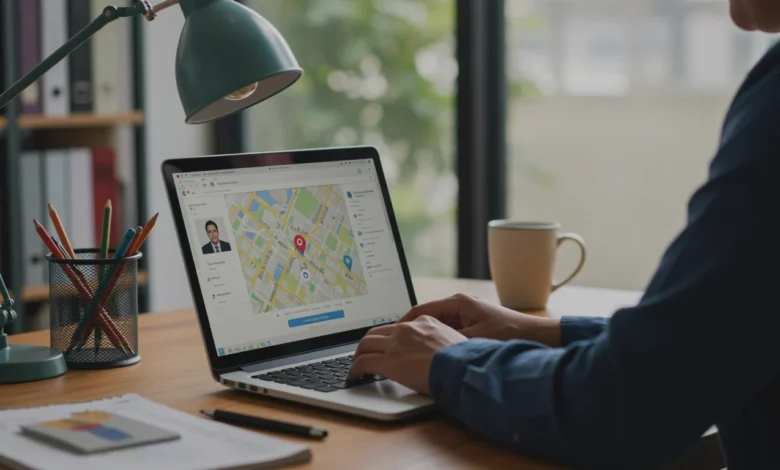
Businesses often expect their Google Business Profile verification to be instant.
However, the verification process can sometimes take several days depending on the method selected.
Recently, Google introduced faster verification pathways that allow some businesses to move from “Pending” to “Live” within minutes. Understanding these options can help businesses activate their profiles quickly and appear on Google Search and Maps sooner.
Why Google Business Profile Verification Matters
A verified business profile allows companies to appear in Google Search results and Google Maps listings, making it easier for customers to discover their services.
Verification also confirms that the business is legitimate and managed by the authorized owner.
Without verification, businesses cannot fully manage profile features such as reviews, updates, and local visibility.
Fastest Verification Methods (Within 10 Minutes)
Several verification methods are available depending on eligibility. Some options are instant, while others may require manual review.
Phone or SMS Verification
Phone verification is one of the quickest methods available.
If the option appears, Google sends a 6-digit verification code via call or text message to the registered business number.
Steps typically include:
- Sign in to your Google Business Profile
- Select your business location
- Choose phone verification
- Receive the call or SMS code
- Enter the code to complete verification
This process can activate a profile within minutes.
Email Verification
Email verification is available for businesses that have an official domain email connected to their company website.
Once selected, Google sends a confirmation link or verification code to the registered email address.
The steps generally involve:
- Logging into Google Business Profile
- Selecting email verification
- Opening the message sent by Google
- Clicking the verification link within the allowed timeframe
This method is also considered one of the fastest verification options when available.
Google Search Console Instant Verification
Businesses that have already verified their website domain through Google Search Console may qualify for instant profile verification.
When Google confirms ownership of the domain, it can connect the domain authority with the business profile.
In such cases, the verification process may complete immediately after selecting the verification option.
Video Verification for Business Profiles
For many businesses, video verification has become the most common method.
This process requires uploading a short video that proves the legitimacy of the business.
The video usually needs to show:
- Business signage and location
- Interior workspace or storefront
- Tools, equipment, or operational environment
- Access to the business location
Video verification helps Google confirm that the person submitting the request is authorized to manage the profile.
Why Some Profiles Still Show “Pending”
Even when a verification method is submitted correctly, profiles may remain in “Pending” status temporarily.
According to recent reports, Google may review certain verification requests manually to maintain profile authenticity.
Common reasons include:
- Incomplete business information
- Inconsistent Name, Address, or Phone (NAP) details
- Location verification checks
- Suspicious activity signals
In most cases, the verification review process may take up to several business days.
Tips to Speed Up Google Business Profile Activation
Businesses can take a few steps to reduce verification delays.
- Use an official business email domain
Verification using a company domain email often speeds up the process. - Maintain consistent NAP information
Ensure the business name, address, and phone number match exactly across all platforms. - Verify your website with Google Search Console
This can unlock faster verification options. - Avoid editing profile details during review
Frequent changes may restart the verification process. - Upload a clear verification video
Ensure signage, location, and operational proof are visible.
Appeals and Review Delays
In rare cases, verification may fail or remain pending longer than expected.
Businesses can submit an appeal through the Google Business Profile appeals tool.
Appeals and review decisions may take several business days for completion.
Submitting multiple appeals simultaneously is not recommended, as it can delay the resolution process.
Review Delays and Profile Merges
Reviews may not appear instantly after profile activation.
Sometimes review visibility can take a few days due to moderation checks or if multiple business profiles were recently merged.
Google evaluates reviews to ensure they comply with platform policies before publishing them publicly.
FAQs
What is Google Business Profile verification?
Google Business Profile verification is the process of proving that your business is real and that you are authorized to manage it on Google Search and Maps.
How long does Google Business Profile verification take?
Verification can sometimes happen within minutes, but in many cases Google may take up to 5 business days to review and approve the profile.
What is the fastest way to verify a Google Business Profile?
Phone, SMS, email, and Google Search Console verification are usually the fastest options when they are available for your business.
Why is my Google Business Profile still showing as pending?
A profile may stay pending when Google is manually reviewing the business details, verification method, or uploaded proof before making it live.
What is video verification in Google Business Profile?
Video verification is a process where you upload a video showing your business location, signage, work area, and proof that you manage the business.
Final Takeaway
The verification process for Google Business Profile continues to evolve, with faster options such as phone, email, Search Console, and video verification. Businesses that prepare their domain verification, maintain consistent business details, and follow Google’s guidelines can often get their listings live much faster.
Digilogy closely tracks updates like these to help businesses understand how changes in Google’s ecosystem can affect local SEO visibility and overall digital marketing strategy. Businesses looking to improve their local presence or streamline Google Business Profile management can explore Digilogy’s relevant services or get in touch through the Digilogy contact us page for further guidance.